35VPN in 20 countries worldwide All plans include ALL VPN locations!
Be Anonymous and encrypted Enjoy internet freedom with high grade (2048bit) data encryption and personal data protection. Use public WIFI and online services without risks.
sstp, pptp, l2tp, openvpn included Many ISP's block VPN traffic. Microsoft's built in SSTP uses the same kind of traffic as any of the millions of secure websites and can be used even on the most heavily screened networks.
How to set up USAIP on Mac OS X using the built in tools
Watch the video or see the screenshots and detailed explanations below.
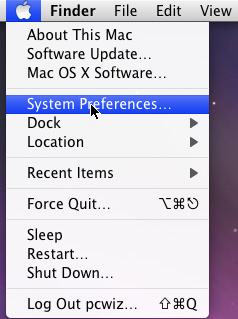
Click on the Apple in the top left of your screen and select "System Preferences..."
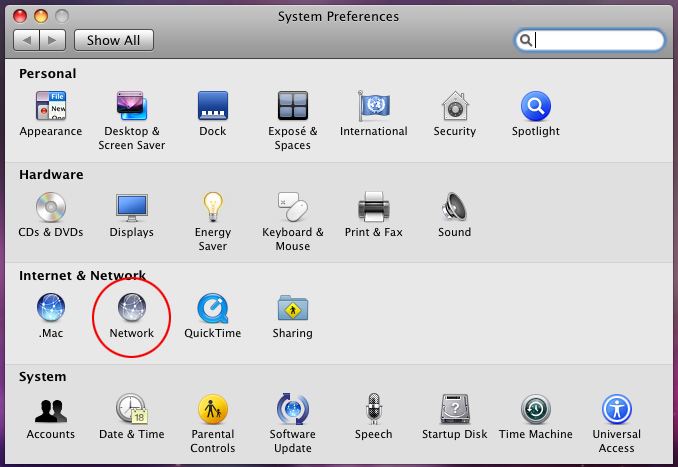
In the section Internet and Network, select "Network".
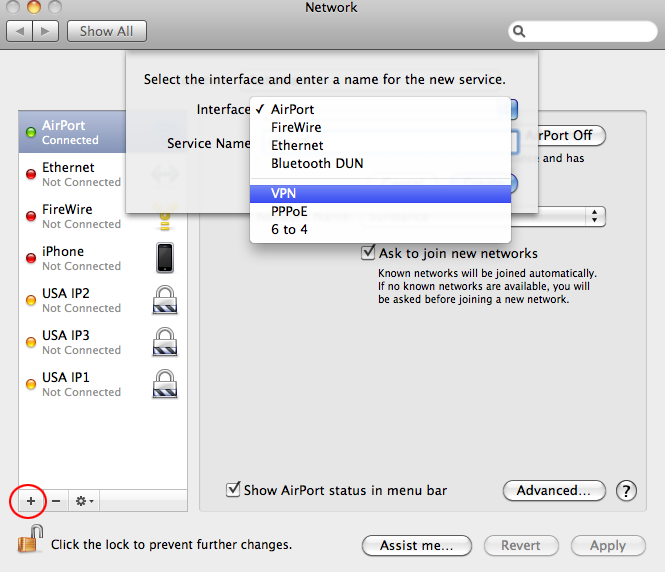
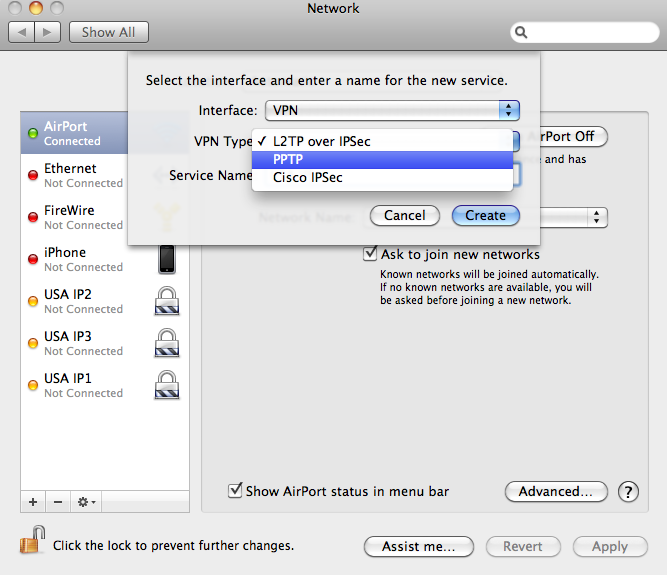
Below the left hand column where your Connections listed, is a small plus sign. Click on it.
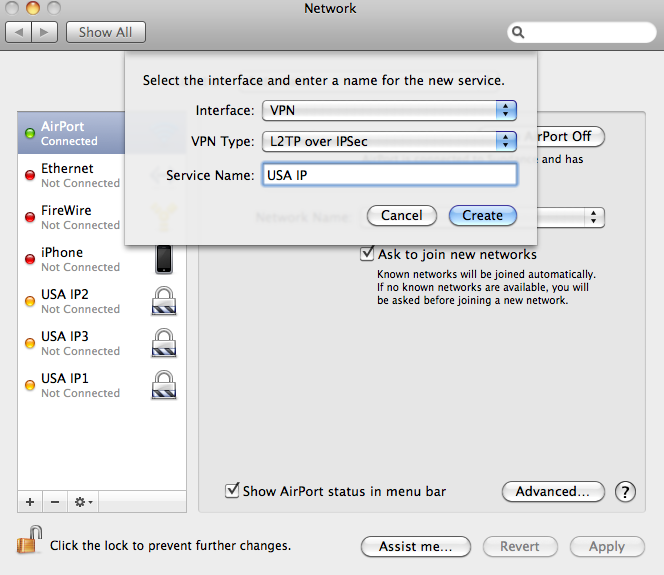
For Interface select "VPN". For the VPN Type select "PPTP". For the Service Name choose a name like "Usaip" and click Create.
Make sure that the VPN type is PPTP
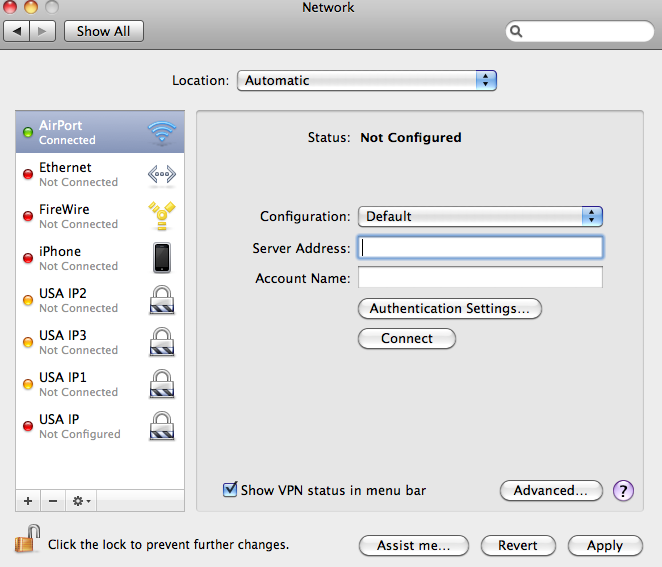
Now on the left hand side, you have a new connection with the name that you just chose. Select it to configure. Enter one of the server names you received in the welcome email from us (for example: vpn1.usaip.eu) in the Server Address field. For the account name use your USAIP.EU username.
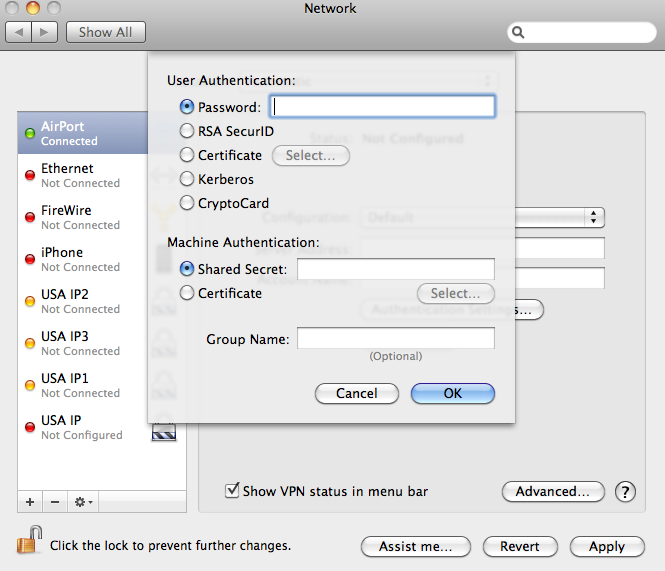
Click on Authentication Settings... In the menu that appears select Password. Type in your password and click OK. Check the box to Show VPN status in Menu bar for easy access later and click Apply.
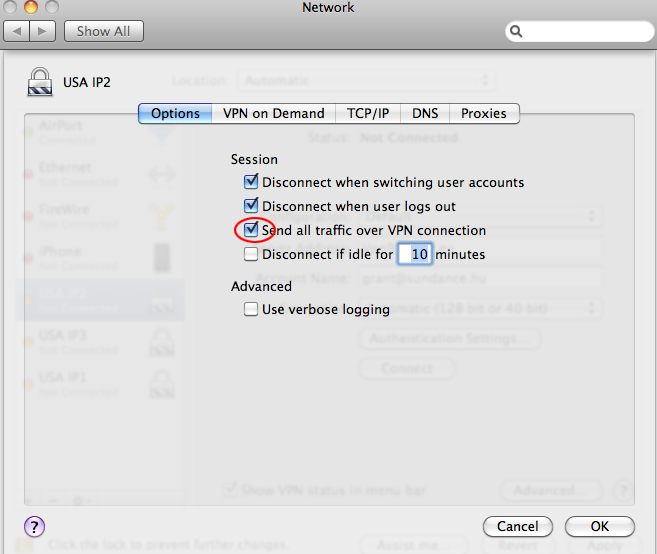
Under "Advanced..." click "Send all traffic over VPN connection"
You are now all set! Look up to the top right in your menu bar and you should see the VPN Menubar item. Click on it and then click "Connect Usaip"