|
How to set up USAIP on Windows XP using the built in wizard
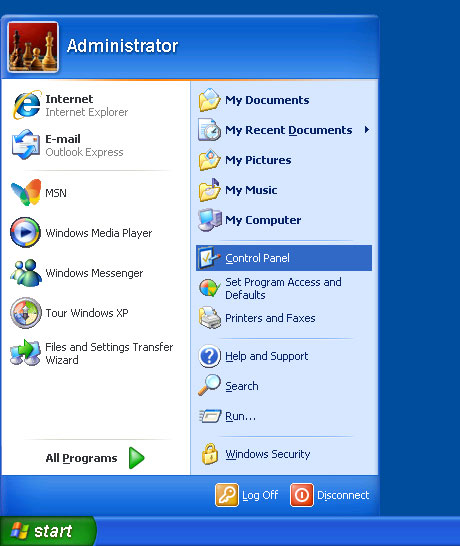
Click on START and go to the control panel.
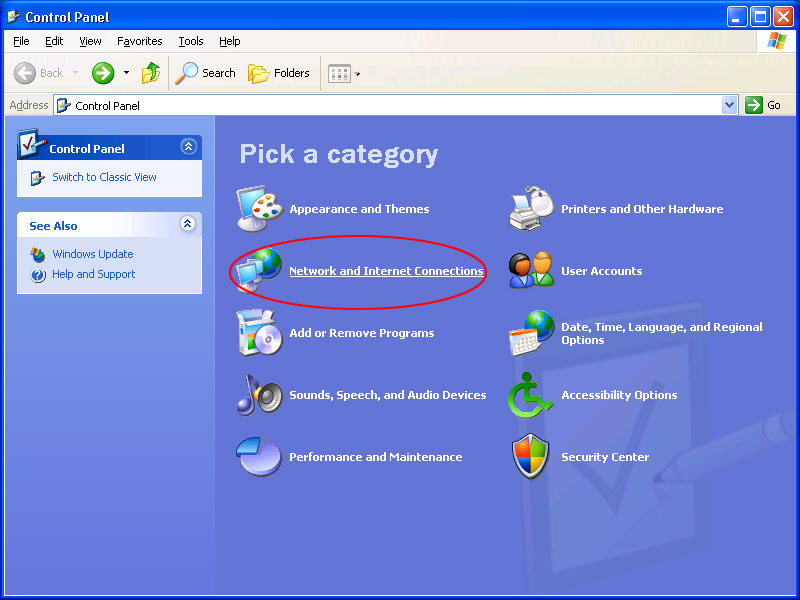
Click on network and internet connections.
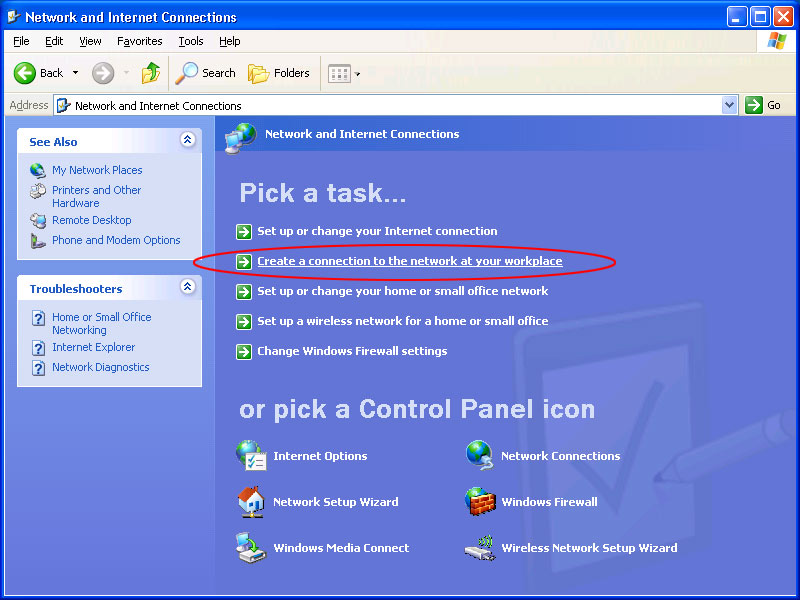
Click on create a connection to the network at your workplace.
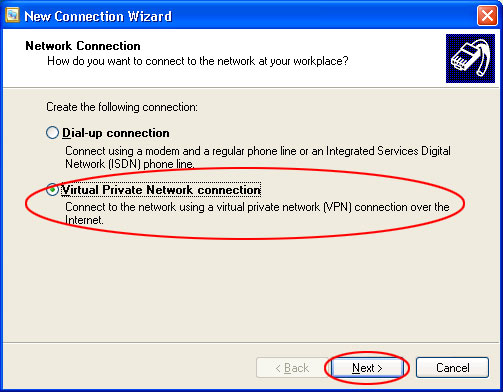
Select virtual private network connection and click next.
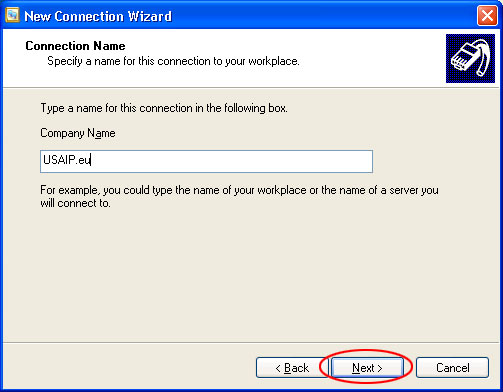
Company name is USAIP.eu
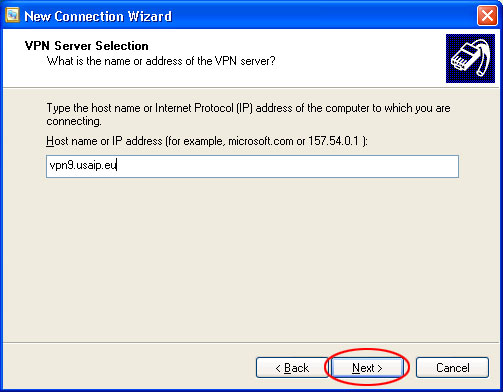
The server name is vpn1 ... vpn9.usaip.eu.
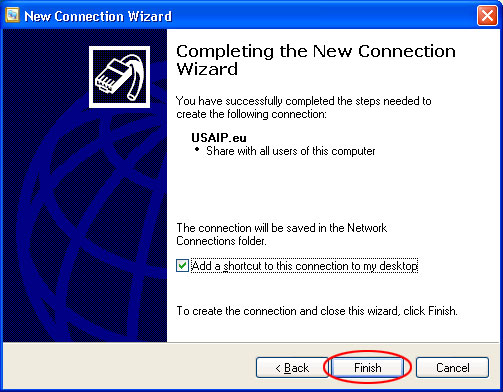
Click finish.
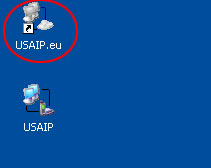
Find the new USAIP.eu icon and start it.
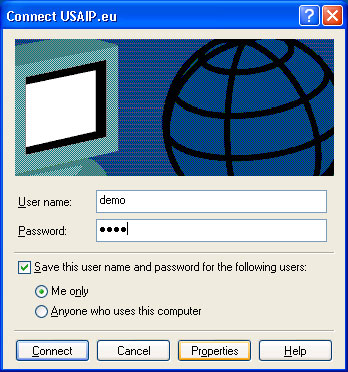
Enter your username and password and click connect.
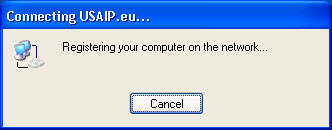
... and you are connected.

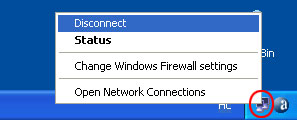
To disconnect, right click the new network icon in the lower right corner.
If you get the following message: Error 678 the remote computer did not respond
Modify your connetion to use L2TP. Click on properties.
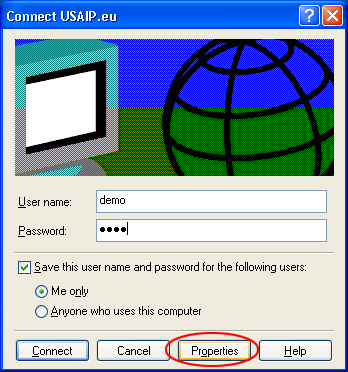
Modify your connetion to use L2TP. Click on properties.
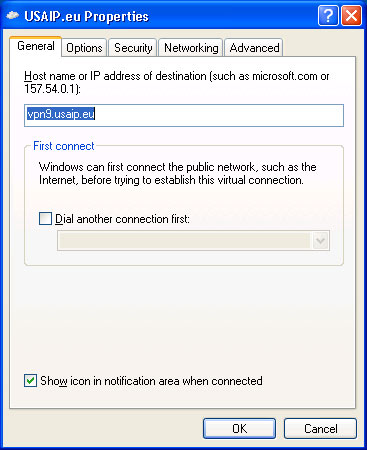
Select networking.
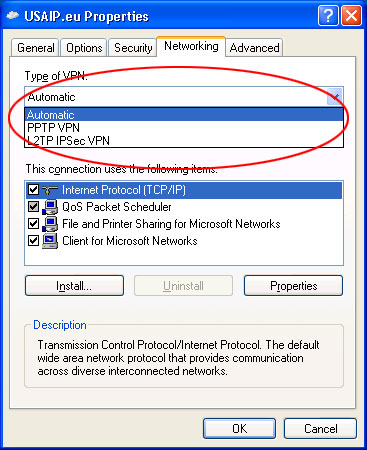
Change VPN type to L2TP.
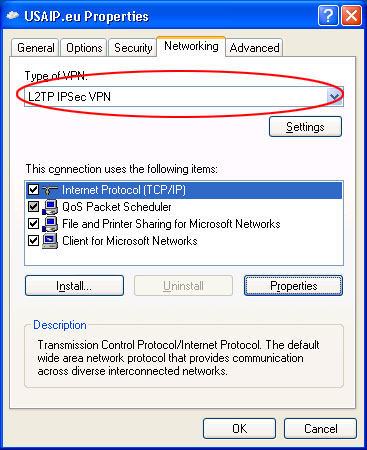
Continue connecting as usual.
ERROR 789
You may enounter this error, when trying to connect using L2TP on Windows XP. To make Windows XP compatible with our L2TP connection, please follow these steps:
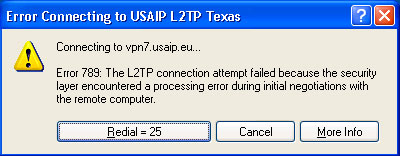
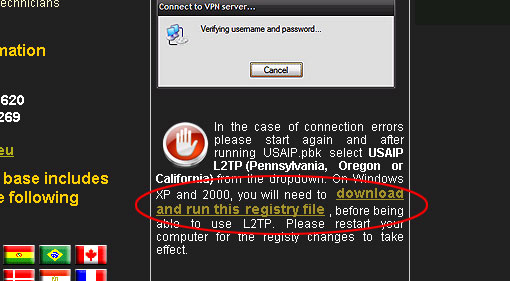
On our website locate the red hand icon in the middle column and click on the link.
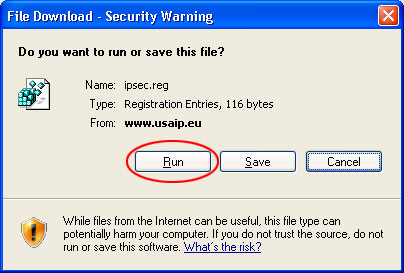
Click run.
Click yes.

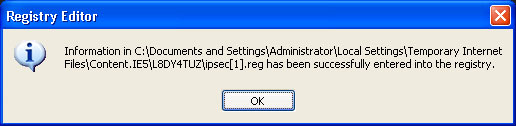
Click ok.
|